Real-Time Design Review Inside Figma
In this project, I explored how design tools can shift from passive creation platforms to active design assistants. By embedding intelligence directly into the workflow, the goal is to help designers identify issues early, reduce friction, and make better design decisions in real time.
Summary
A product concept exploring how design review can be integrated directly into the design process instead of being treated as a separate step.
Most design tools today focus on creation, but reviewing designs often happens later or through plugins.
This concept introduces Design Intelligence, a system that works alongside designers, automatically detecting issues, suggesting improvements, and maintaining consistency in real time.
Faster Issue Detection
55%
Reduced Rework
35%
Improved Consistency
50%
Better Accessibility
42%
The Problem
Design tools prioritize creation, but reviewing quality still depends on manual checks
or plugins, which interrupts flow and delays feedback.
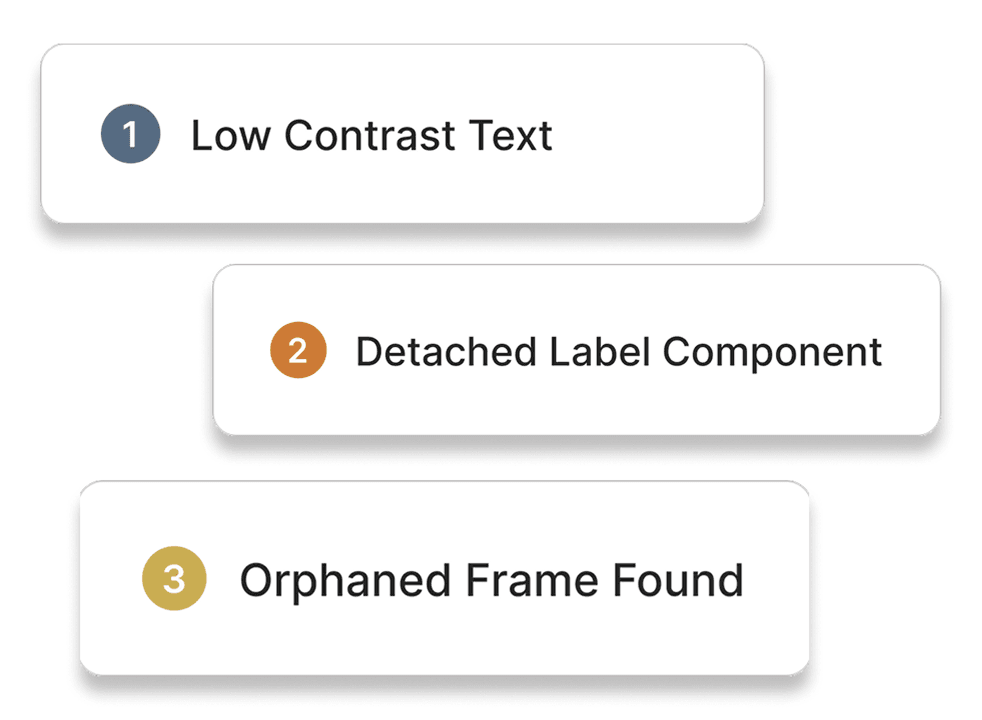
Missed Design Issues
Small inconsistencies like spacing, contrast, or alignment often remain unnoticed during the design process.
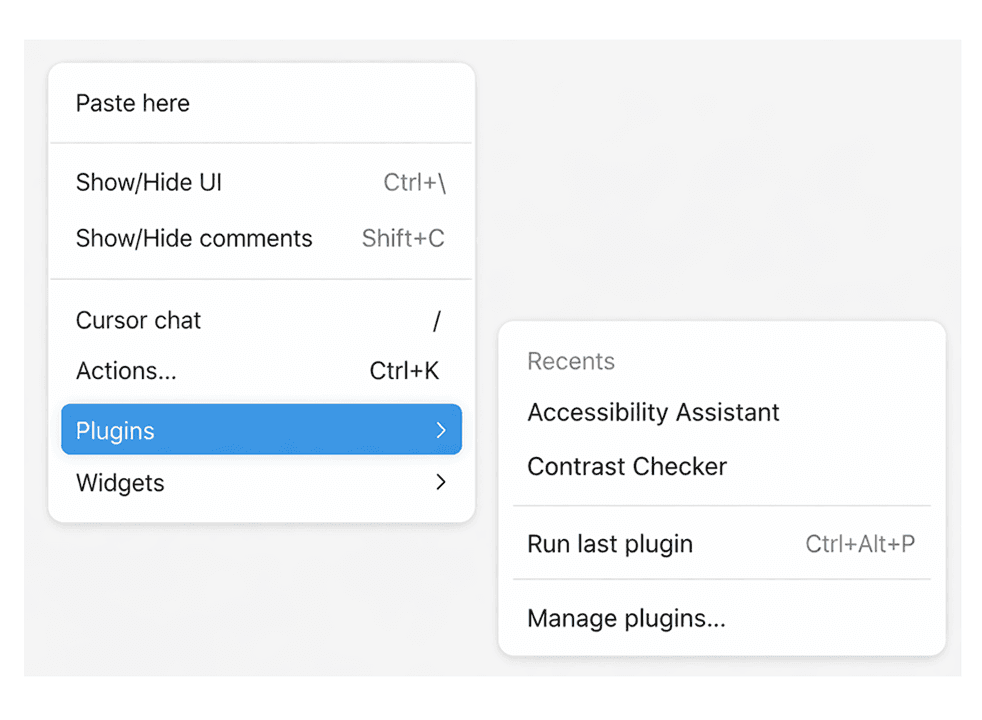
Fragmented Workflow
Switching between designing and plugins breaks focus and adds unnecessary steps to the workflow.
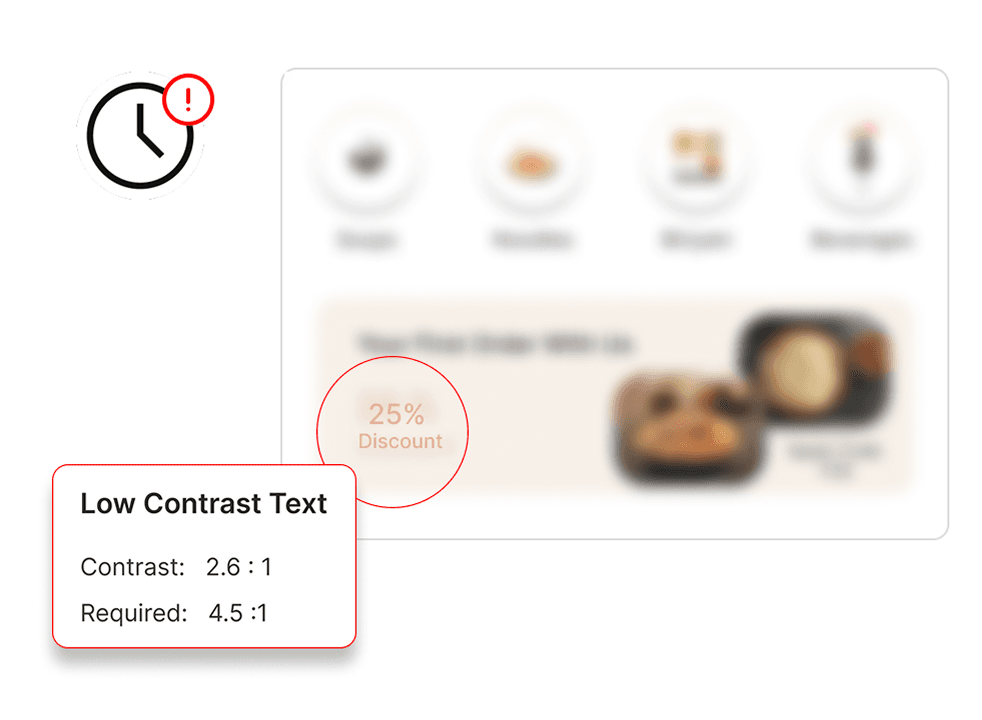
Delayed Feedback
Issues are identified after completion, leading to rework and slower iteration cycles.
Users and Research
Why it Started ?
Designers focus on building interfaces, not constantly reviewing them. This creates gaps where small issues go unnoticed, especially in fast-paced workflows involving multiple screens and components.
Who are we solving for?
Product and UI designers working on complex flows, managing multiple screens, components, and systems, where maintaining consistency and catching small issues becomes difficult during active design work.
How are we solving it?
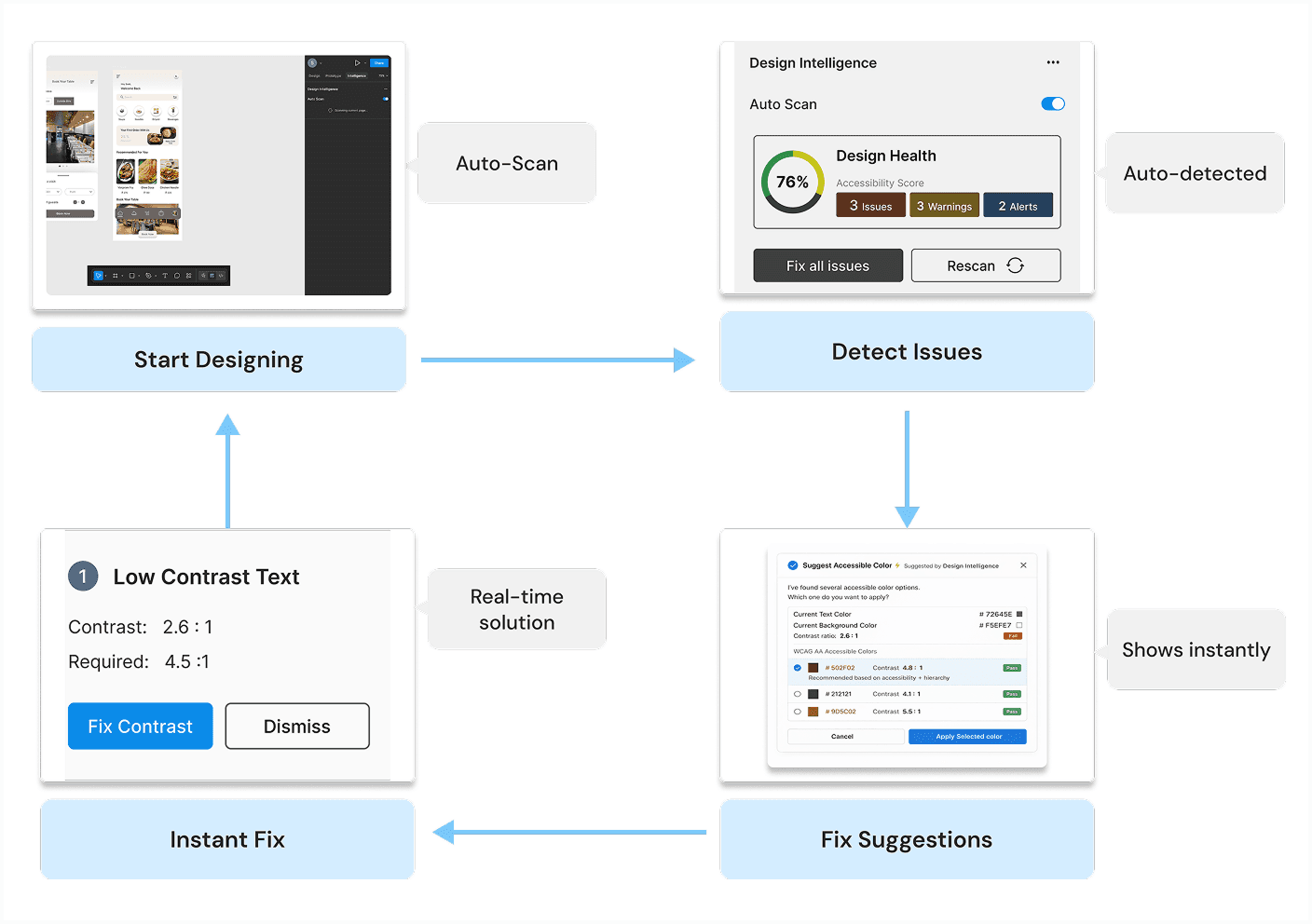
Shift the experience from manual review to real-time guidance by embedding feedback directly into the design environment, allowing designers to identify and resolve issues instantly without switching.
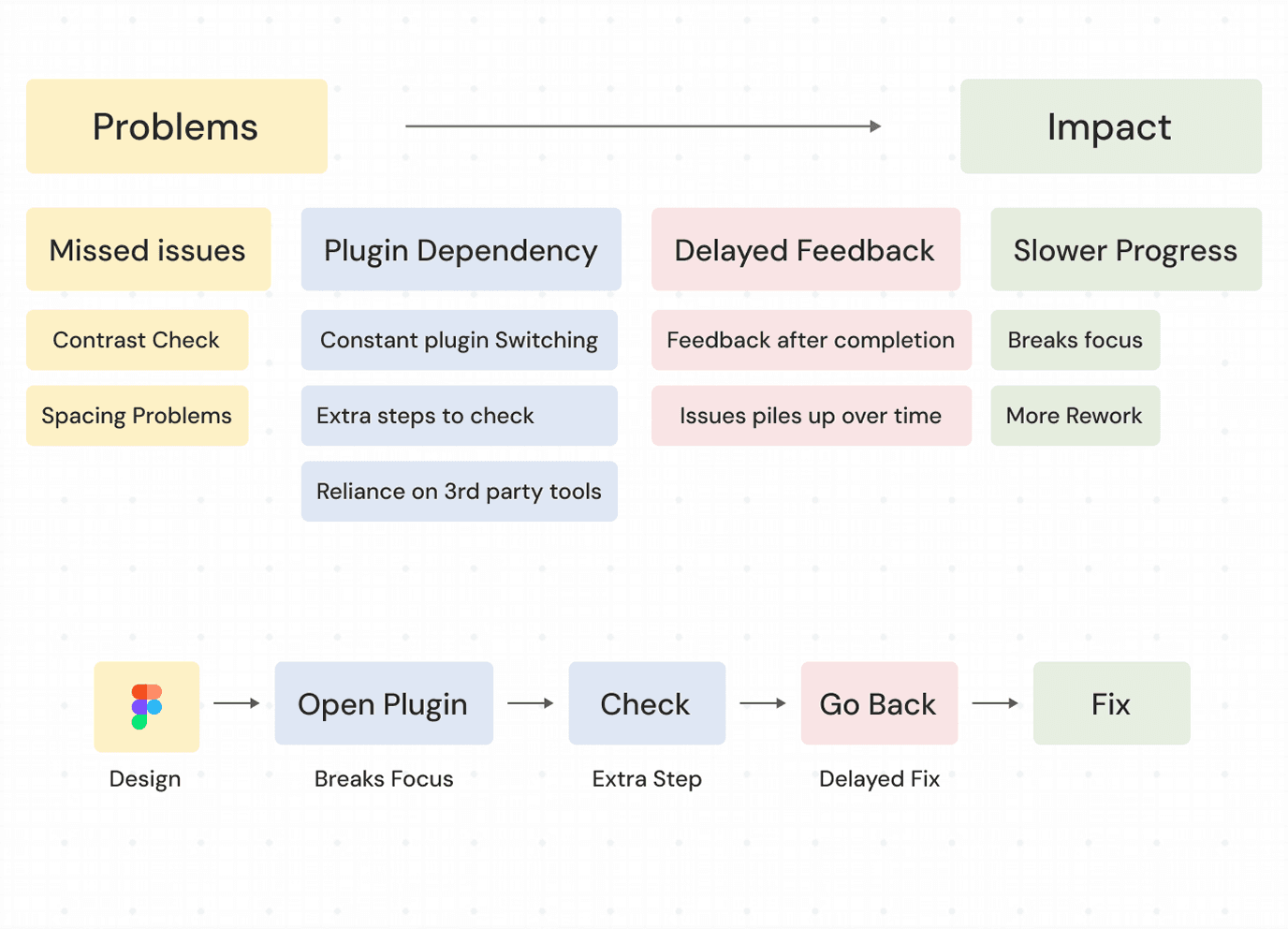
Research Approach
Focused on understanding where designers lose attention and how delayed feedback impacts design quality.
Intelligence Opportunity
This enables tools to move from passive interfaces to active systems that assist designers while decisions are being made.
Frustrations and Findings
Designers don't ignore issues, they simply don't see them at the right moment. Most problems surface too late, after the design is already built.
Pain points identified
Design Concept
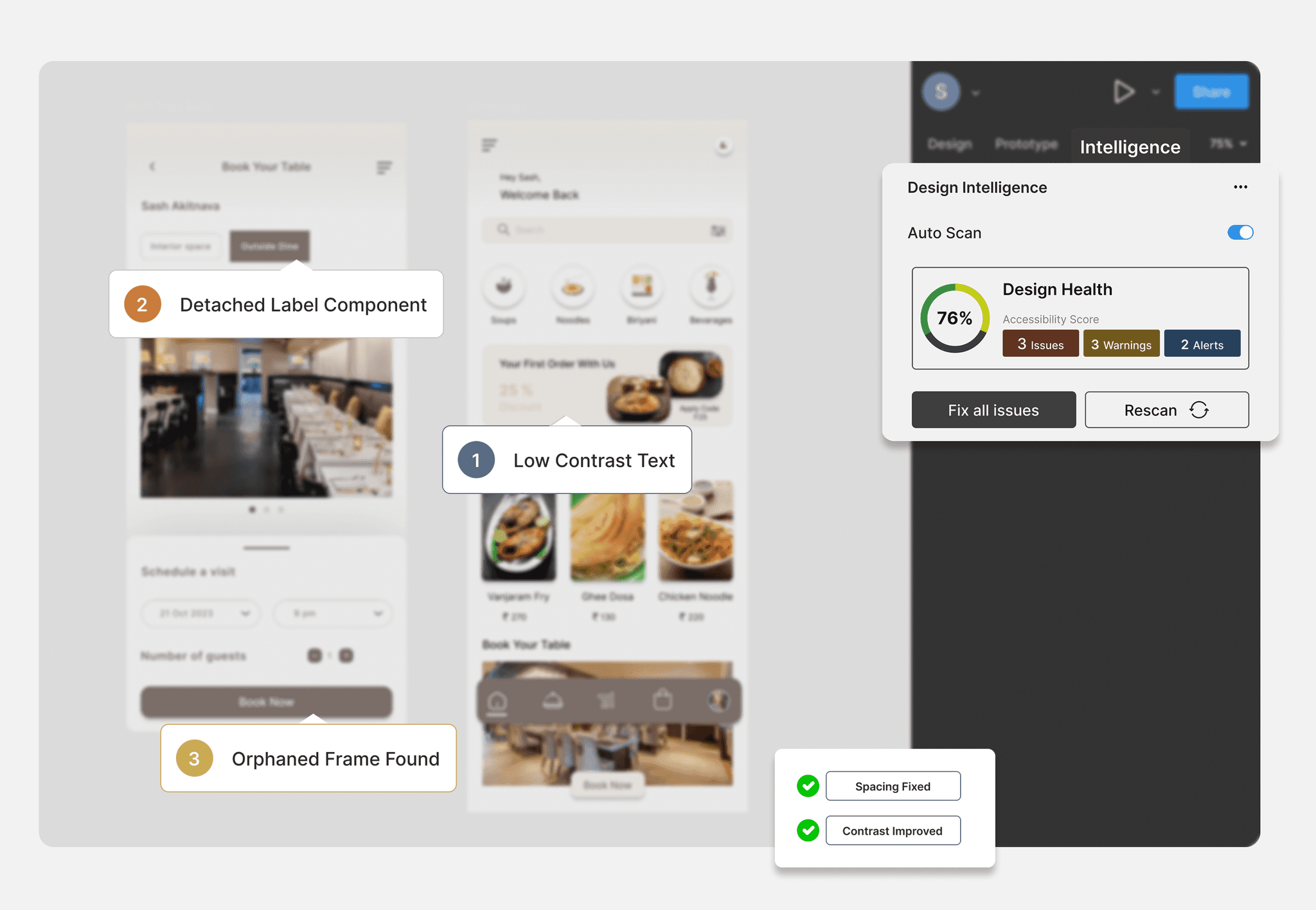
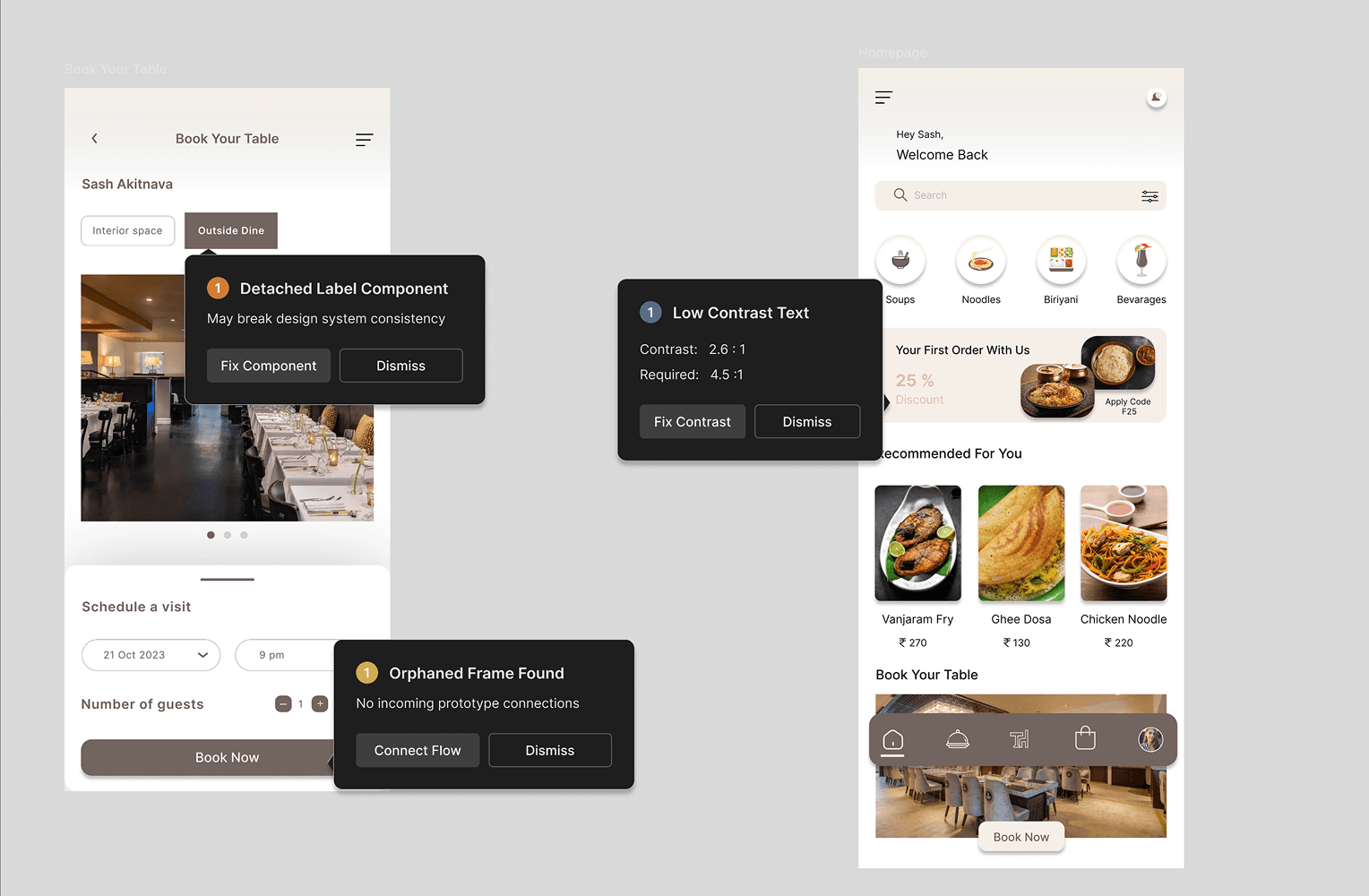
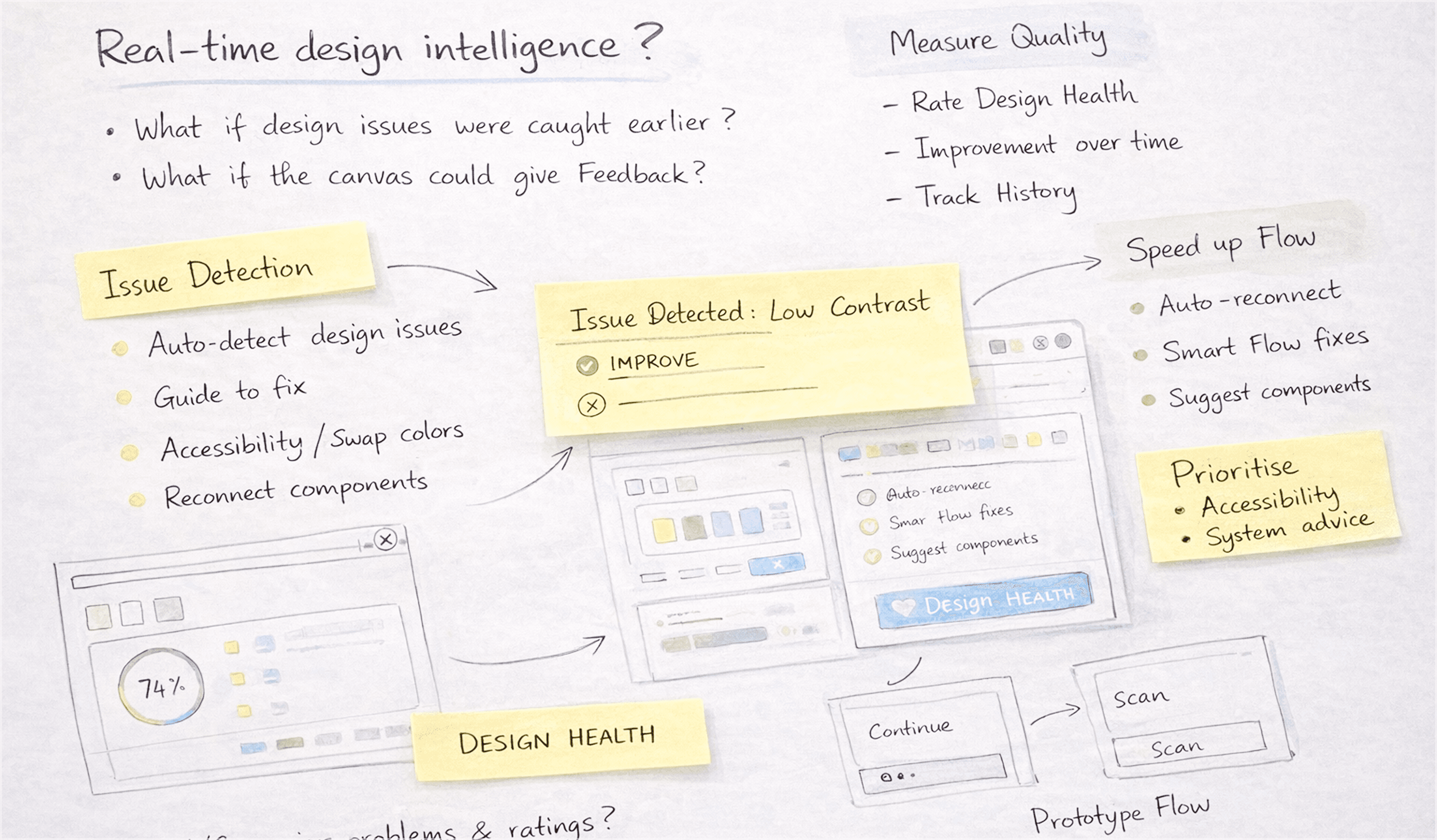
Guided Design Awareness
Surfaces issues directly on the canvas as they occur, making problems visible in the moment.
- Detects spacing, contrast, and structure
- Highlights issues in context
- Brings hidden problems into focus
- Removes separate review steps
- Fixes issues during creation
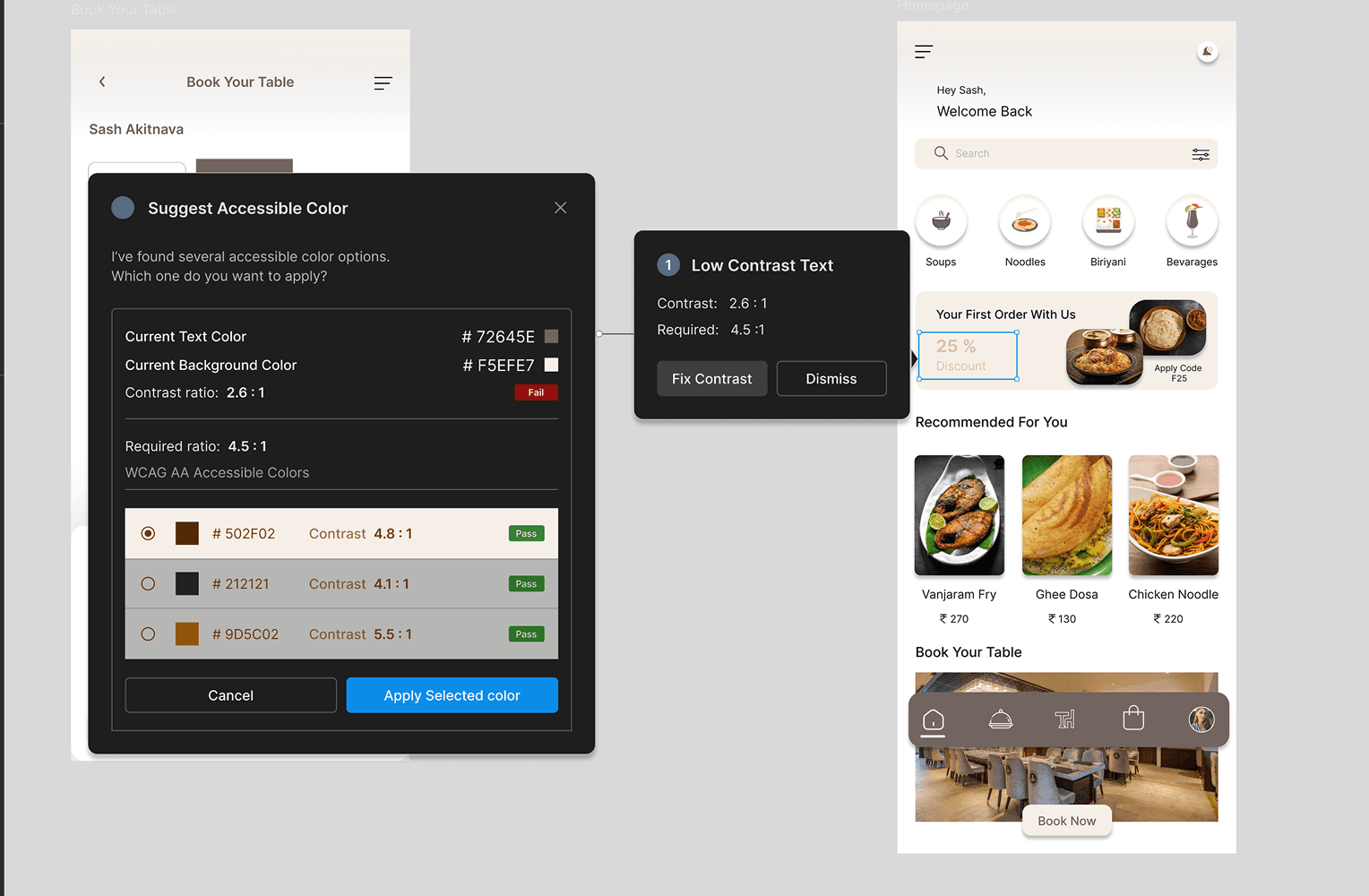
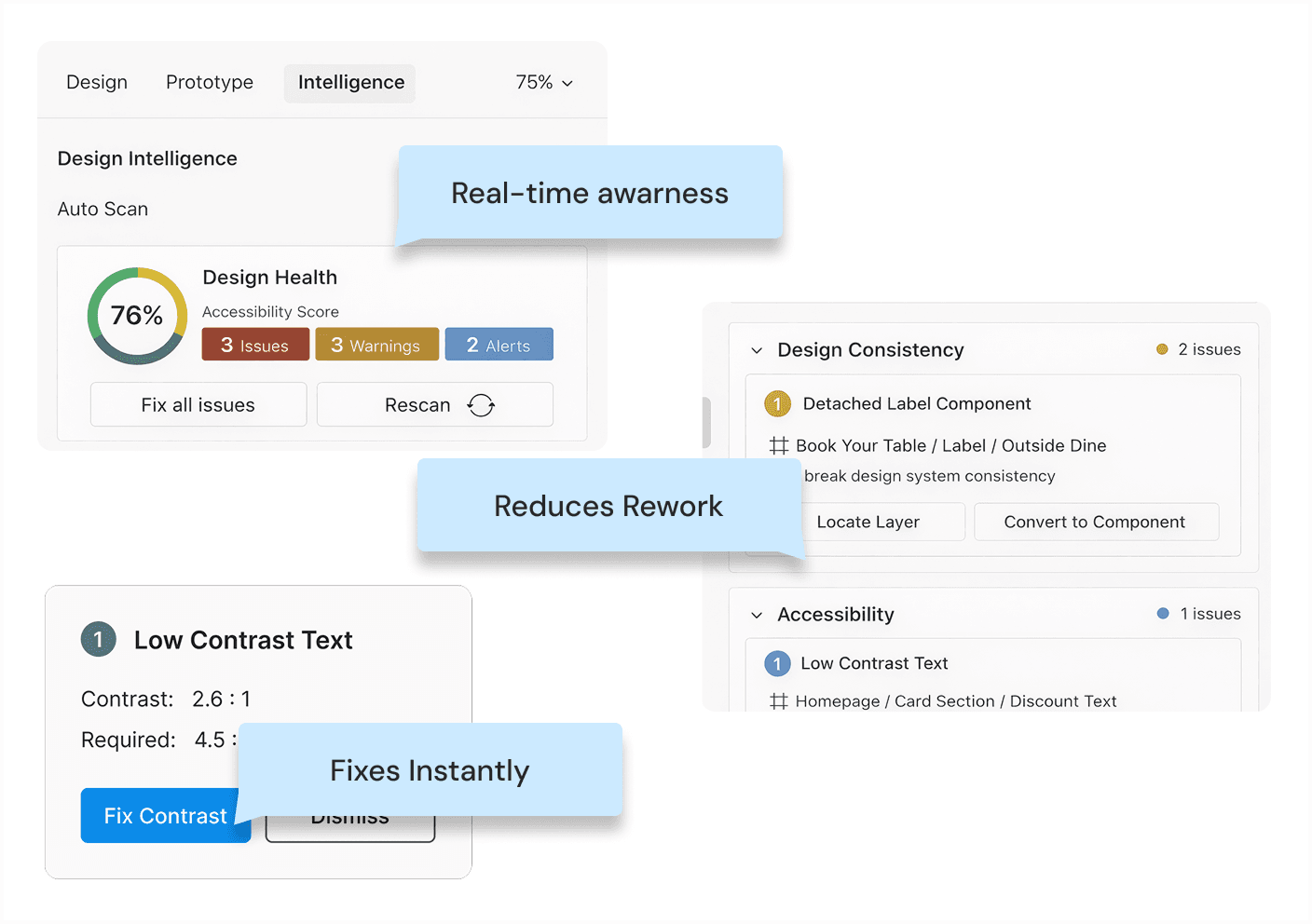
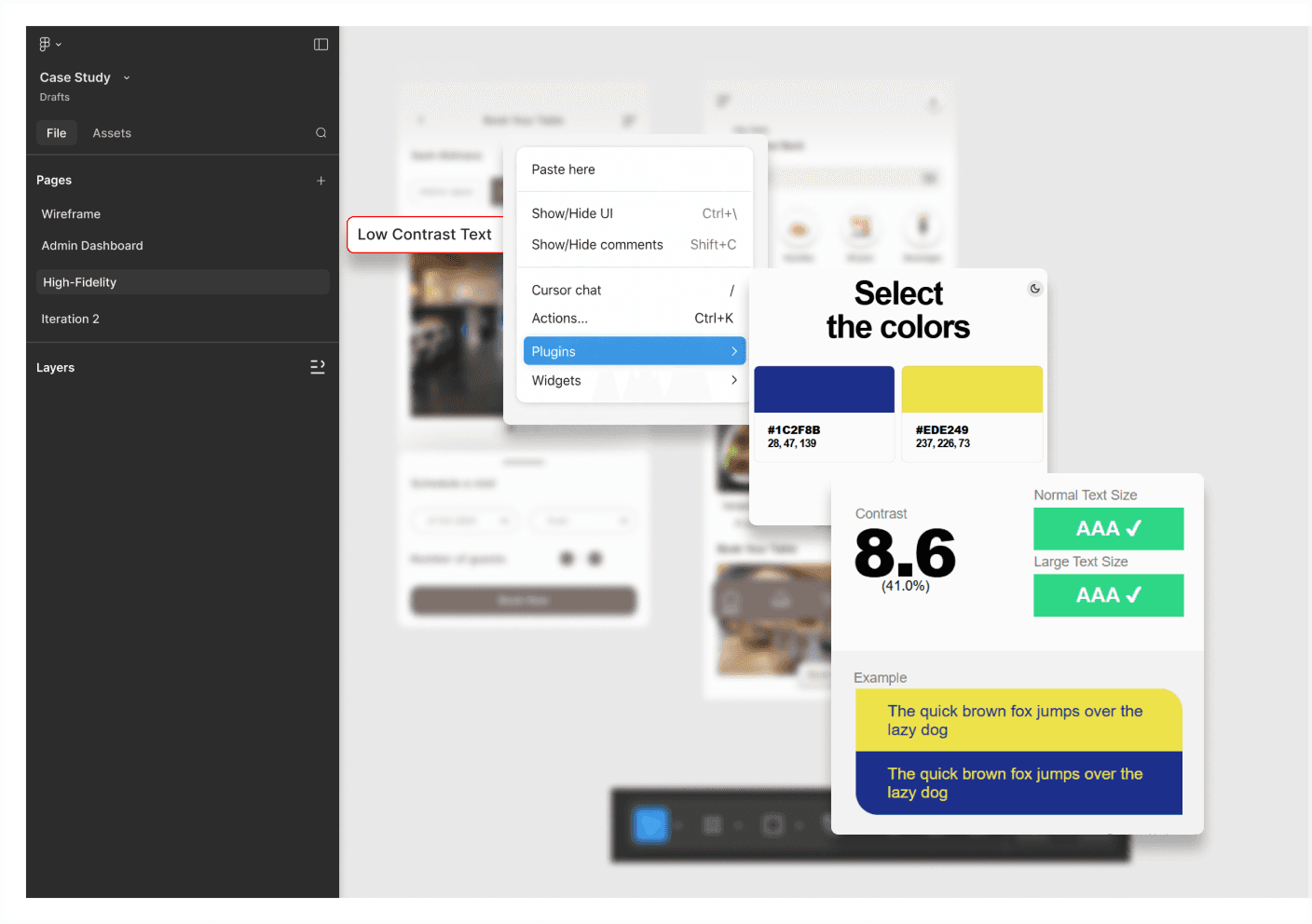
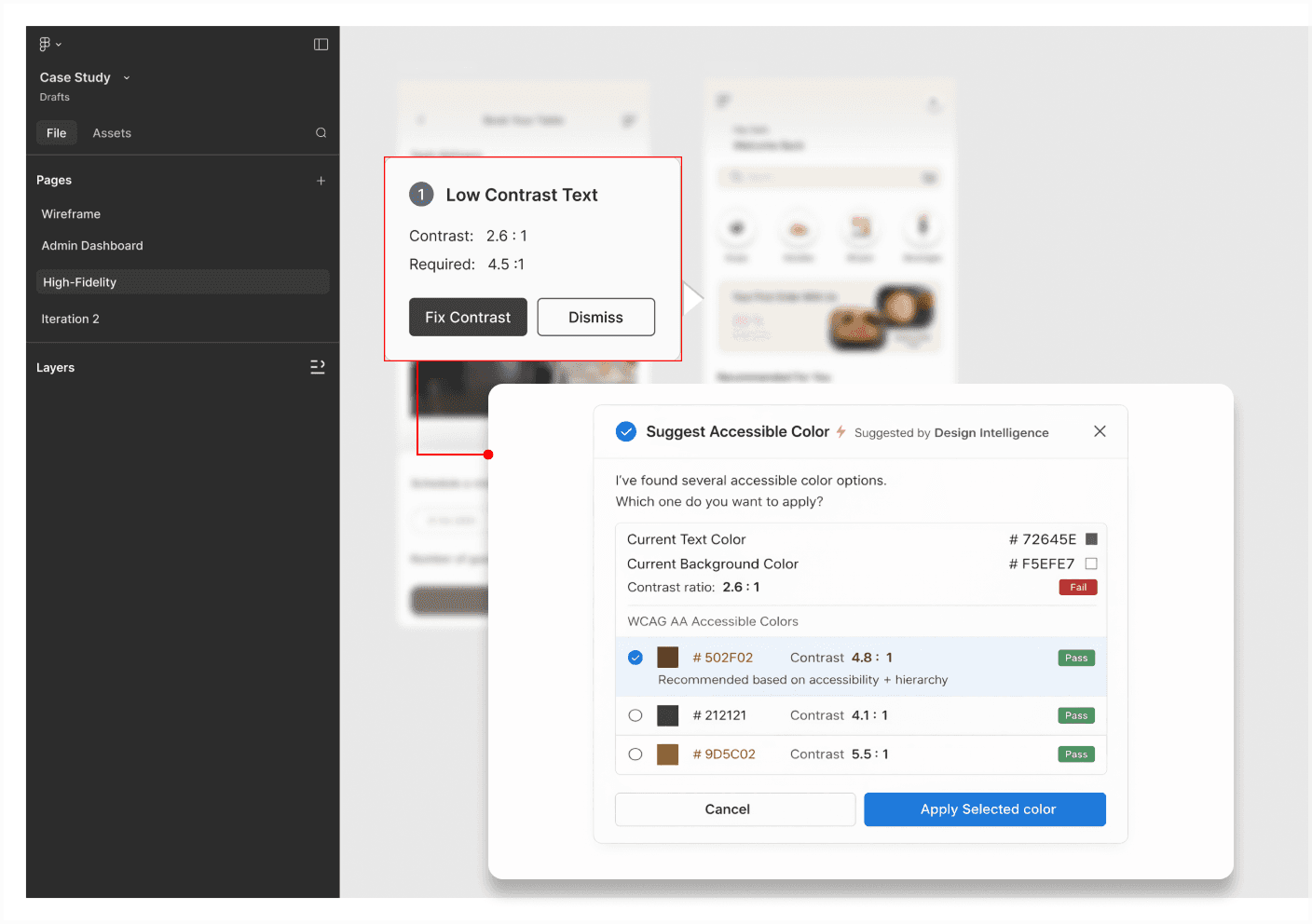
In-Flow Accessibility Checks
Embeds accessibility checks into the workflow, enabling instant corrections without context switching.
- Flags low contrast instantly
- Suggests accessible color options
- Enables one-click fixes
- Aligns with accessibility standards
- Removes external tool dependency
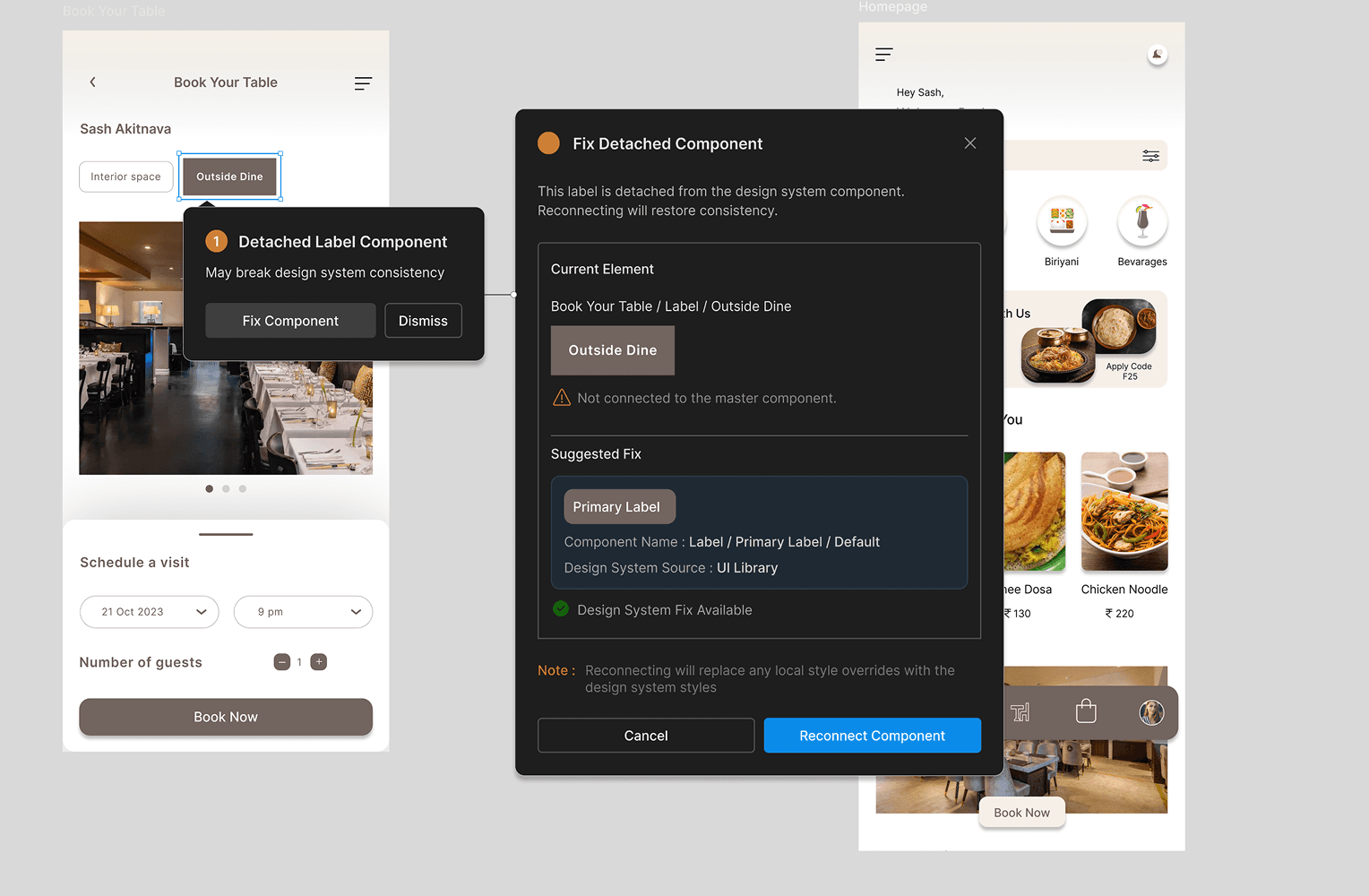
Design System Integrity
Maintains consistency by detecting deviations and guiding designs back to system-defined components.
- Flags detached components
- Suggests system reconnection
- Prevents visual inconsistencies
- Reinforces system usage
- Keeps designs aligned
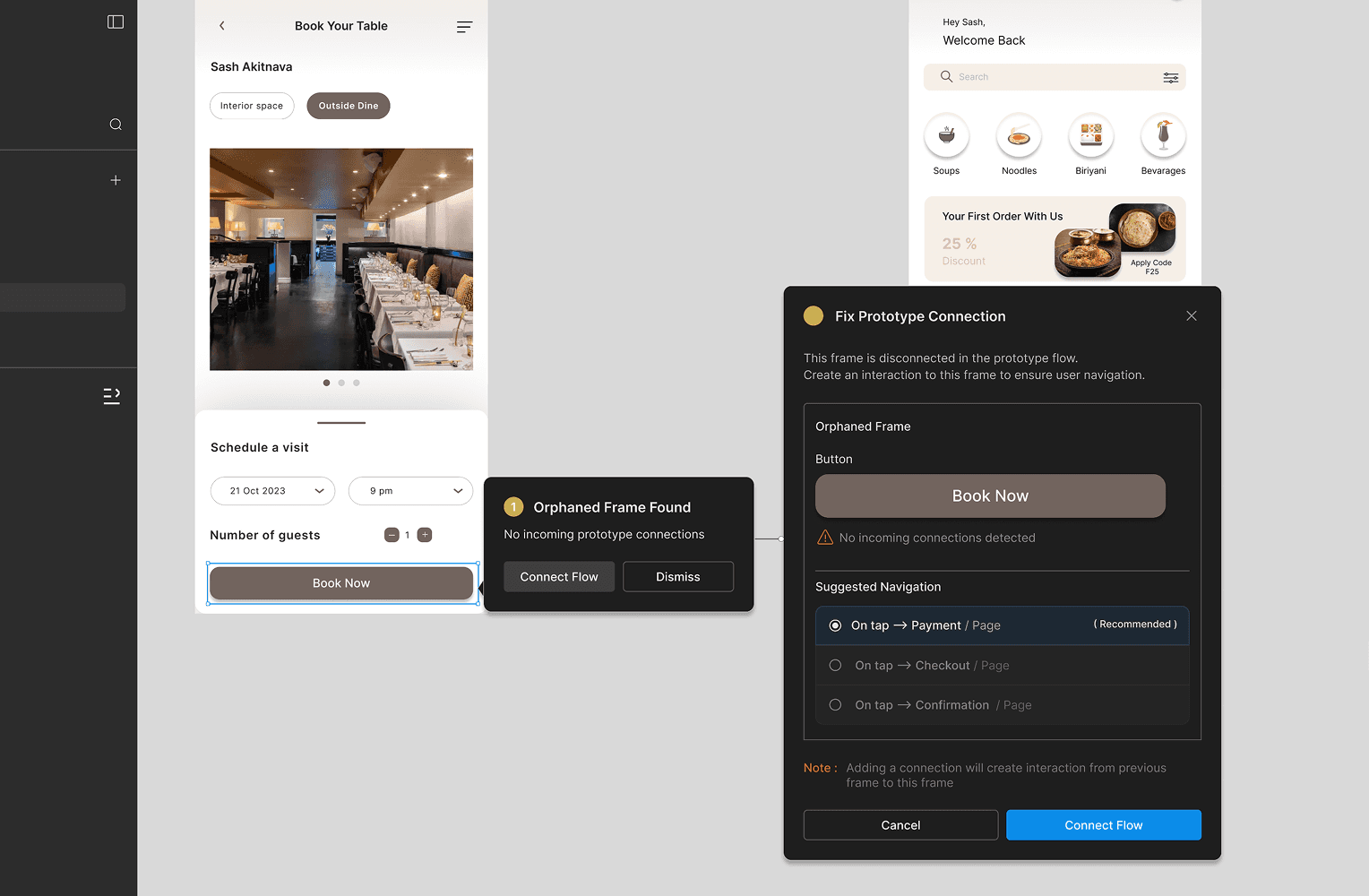
Connection Intelligence
Ensures complete user journeys by identifying gaps in navigation and interaction.
- Detects broken flows
- Flags orphan screens
- Suggests next connections
- Maintains navigation continuity
- Reduces flow errors early
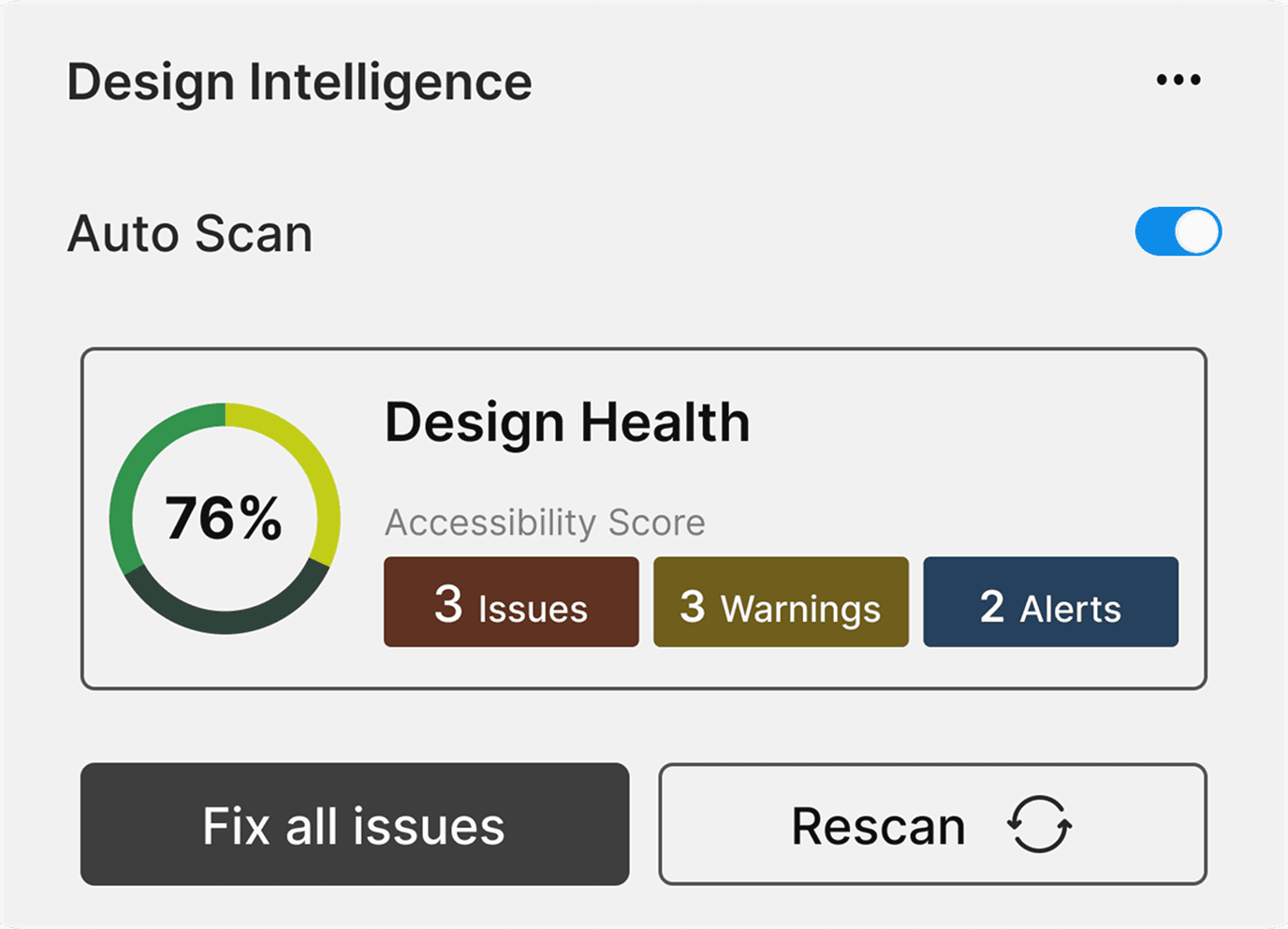
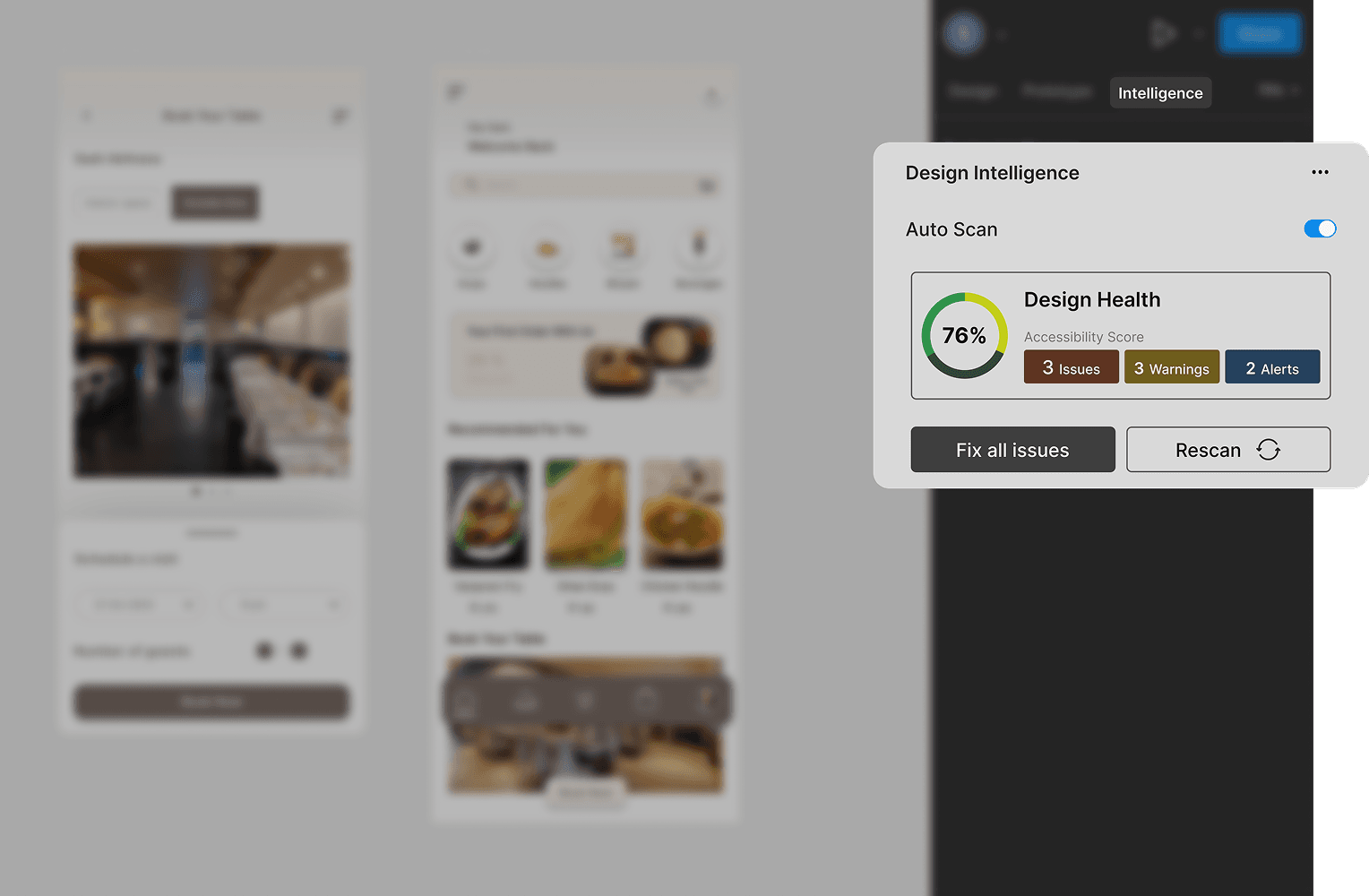
Design Health Visibility
Turns design quality into a measurable signal that evolves with the product.
- Tracks issues and improvements
- Shows design health score
- Compares iterations easily
- Supports faster decisions
- Makes quality visible
User Testing
Initial validation explored how real-time feedback influences designer behaviour during active workflows.
What stood out during testing
Designers responded well to immediate insights, as they reduced reliance on plugins and allowed issues to be fixed instantly, maintaining flow and making the overall design process more efficient and focused.
Designers also showed improved confidence in their decisions, as feedback was available at the right moment. This reduced hesitation and allowed them to move forward without second-guessing their design choices.
Snippets
Before & After
Designs and explorations
Design Impact
Learnings
- Immediate feedback reduces rework and speeds up decisions
- Contextual guidance lowers cognitive effort during design
- Early issue detection prevents inconsistencies at scale
- Integrated systems remove dependency on plugins
- Continuous feedback supports better design habits
- Quality becomes part of the process, not a final step
What's Next
Smarter Suggestions
Contextual recommendations help designers make faster decisions with less effort.
Deeper Integration
Tighter system integration ensures consistency without extra steps.
Collaborative Intelligence
Shared insights help teams maintain consistent quality at scale.